




Q1View is a Windows viewer and comparer for people who inspect pixels, decoded frames, raw buffers, and codec output.
Get the latest Windows x64 build from the GitHub Releases page.
- Installer:
Q1ViewSetup-x64.exe - Portable package:
Q1View-windows-x64.zip
The installer adds separate Start Menu entries for Q1View Viewer and Q1View Comparer.
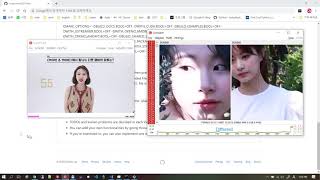
- Viewer opens images, raw dumps, image sequences, videos, and clipboard images with pixel-level inspection.
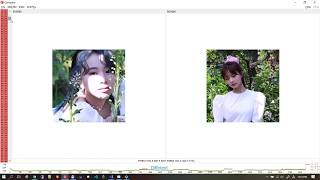
- Comparer compares 2-4 sources with synchronized navigation, zooming, color-space handling, PSNR, and SSIM.
- Raw pixel formats are first-class: YUV, NV12/NV21, P010/P210, RGB/BGR/RGBA, grayscale, packed RGB, and more.
- Image folders can be treated like frame sequences.
- Video playback follows the source or selected frame rate and catches up after temporary stalls.
- Exact pixel values, coordinates, luma-only view, nearest-neighbor zoom, and selected-region copy are built into the workflow.
- Multiple Viewer windows can link input controls for synchronized inspection.
- HEIF/HEIC/HIF and AVIF still images are supported in both Viewer and Comparer.
- Unicode Windows paths are supported, including Korean file and folder names.
- The release package includes the DLLs it needs, so users do not need to install OpenCV or HEIF libraries separately.
Q1View is not trying to be a photo library. It is built for Windows pixel debugging, frame comparison, and quick visual checks during codec or image pipeline work.
- BMP, JPEG, PNG, TIFF, WebP
- HEIF, HEIC, HIF
- AVIF / AV1 still images
- Video files supported by the packaged OpenCV/FFmpeg runtime
- Raw frame dumps and clipboard images
Q1View builds with Visual Studio 2019 or newer on Windows x64.
msbuild Viewer\Viewer.sln /m /restore /p:Configuration=Release /p:Platform=x64
msbuild Comparer\Comparer.sln /m /restore /p:Configuration=Release /p:Platform=x64
Normal builds restore OpenCV and libheif into .deps from published dependency
archives. Dedicated GitHub Actions workflows refresh those dependency archives
when needed.
GitHub Actions builds Viewer and Comparer, stages the runtime files, creates the
portable zip, builds the Inno Setup installer, and publishes release assets for
version tags such as v1.0.9.
The pipeline also supports Authenticode signing when signing credentials are configured through repository secrets.
| Path | Purpose |
|---|---|
Viewer\ |
Single-source viewer application |
Comparer\ |
Multi-pane frame comparison application |
QVisionCore\ |
Image loading, raw color conversion, HEIF/AVIF fallback, metrics |
build\ |
Packaging, signing, and dependency helper scripts |
installer\ |
Inno Setup installer definition |
docs\ |
Focused technical notes |
| Intro | Viewer | Comparer |
|---|---|---|
 |
 |
 |
More videos: