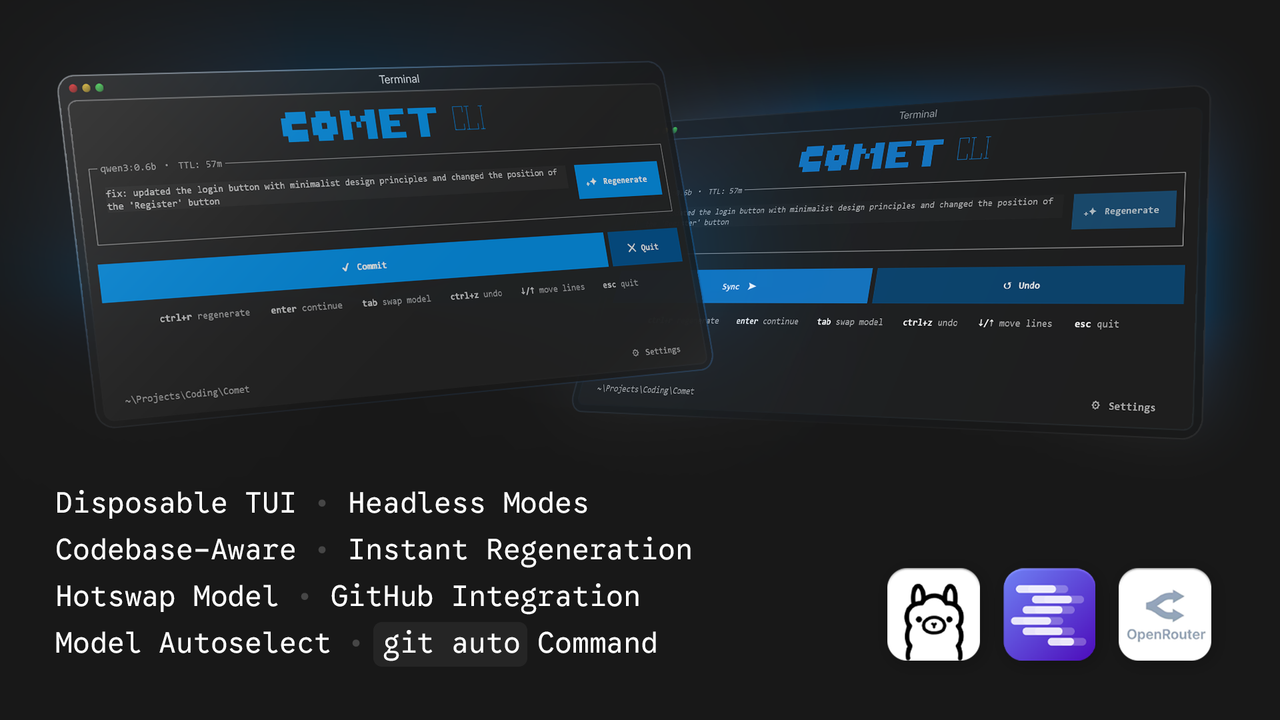
Comet is a lightweight disposable terminal user interface application that automatically generates descriptive git commit messages using local language models (Ollama, LMStudio) or the cloud (OpenRouter). It analyzes your staged git diffs and provides a clean interface to review, edit, regenerate, and commit your changes instantly.
AI commit messages are silently burning through your API limits.
An unoptimized
git diffcan easily consume 15,000+ tokens per request. If an average developer makes 3 commits per hour, a standard 4-hour coding session would blast through over 180,000 tokens!Comet uses only 1500/hr tokens! Saving you roughly 174,000 tokens of unnecessary API costs in the same 4 hours!
- Instant Boot: The UI renders instantly with zero latency, utilizing background threading for network auto-detection and initialization.
- Disposable TUI: The interface runs as an alternate terminal screen. When you exit, your previous command history, compiler errors, and statements are completely preserved exactly as they were.
- Headless Automation: Run
comet --auto(or-a) to skip the UI entirely and automatically generate, commit, and push in one command. - Terminal User Interface: Built with Textual. It provides a dedicated text area to edit the generated message.
- Git Integration: Commit your changes and immediately push them to your remote repository with a second press of the commit button.
- Native Git Command: Run
git autoto use Comet as if it were a native git command. - Model Auto-Selection: Automatically detects the smallest model that can run on your system to minimize token usage and response latency.
- Hotswap Models: Press
tabto quickly cycle through available models directly from the interface. - Local & Cloud Generation: Connects to your local AI servers or the OpenRouter API to generate commit messages.
- Context Aware: Automatically pulls in the last 5 commits to understand your codebase.
- Token Optimization: Actively strips massive metadata from the diff payload, drastically reducing API costs and Time-To-First-Token.
- Python 3.10 or higher
- Git installed and accessible in your system path
- Ollama or LMStudio running locally, or an OpenRouter API key
You can install Comet using standard pip:
pip install cli-cometHowever, the recommended way to install Comet is globally using pipx to avoid dependency conflicts with other python packages:
pipx install cli-cometClone the repository and install the required dependencies:
git clone https://github.com/razoring/CometCLI.git
cd CometCLI
python -m venv .venv

# On Windows
.venv\Scripts\activate

# On Unix/macOS
source .venv/bin/activate

pip install -e .Ensure you have staged your changes using git add and that Ollama or LMStudio is running in the background.
Run the Comet application:
cometOr run it as a native git command:
git autoTo bypass the UI and automatically generate, commit, and push your changes in one step:
comet --auto
# or
comet -aenter: Commit the current text. If pressed again, it will push the commit to the remote repository.tab: Swap the active language model.ctrl+r: Regenerate the commit message with the current model.ctrl+z: Undo the most recent local commit.ctrl+t: Terminate the application.down arrow: Add a new line when at the bottom of the text area.up arrow: Remove the previous empty line.
Comet uses the subprocess module to run git commands and capture diffs. It reads the local comet/system.md file for system instructions and sends the diff to the selected provider's API. The interface is built using Textual, providing responsive keyboard bindings and a resilient terminal layout. All blocking network logic runs in an asynchronous @work thread to ensure 0ms UI start latency.
This project is licensed under the GNU General Public License v3.0 (GPL-3.0). See the LICENSE file for details.