A software to install and configure Onion OS for Miyoo Mini
Onion Desktop Tools is a Windows program that simplifies the preparation of a micro SD card for Onion.
Onion Desktop Tools will help you to format the SD card, download, install, update and configure Onion in an really easy way.
This tool performs destructive disk operations. Please read carefully:
- ✅ Run as Administrator: Required for disk operations
- ✅ Verify selected disk: Double-check you've selected the correct SD card before formatting
- ✅ Backup important data: Always backup your data before formatting
- ✅ System disk protection: The tool includes checks to prevent formatting system disks, but always verify manually
- ✅ Antivirus warnings: Some antivirus may flag the tool due to disk operations - this is expected behavior
Best Practices:
- Remove unnecessary USB drives before running the tool
- Verify the drive letter and size match your SD card
- Use genuine, high-quality SD cards (avoid stock SD cards for best results)
- Keep backups of your ROM saves using the built-in backup feature
- auto update itself
- format SD card in FAT32
- Check disk of SD card
- Download last Onion OS version (stable or beta)
- update / install / repair Onion
- backup / restore SD card (also allows migration from stock SD card to Onion SD card)
- Onion OS configuration Manager
- Onion OS EMulators and Applications Manager
- Onion OS wifi Manager
- Windows 10 or later
- PowerShell 5.1 or later (included in Windows 10+)
- Administrator privileges
- SD card reader
- Internet connection (for downloading Onion OS)
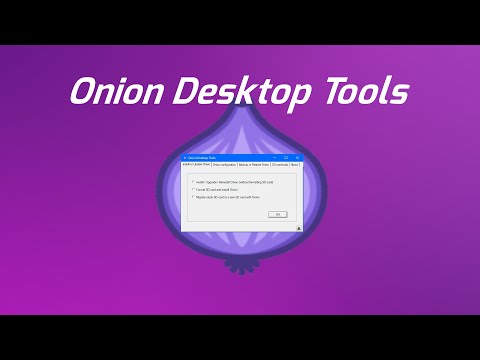
A tutorial video about Onion Desktop Tool, it describes the process for preparing a new fresh SD card (click on the picture to view it) :
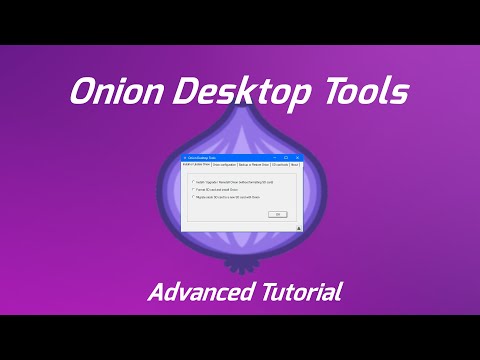
An advanced tutorial video about Onion Desktop Tool, (click on the picture to view it)
- Onion OS Configurator
- Emulators and applications manager
- Wifi Configurator
- Backup SD card for Stock SD Card and Onion
- Restore a backup on Onion SD card
- SD card tools (format SD card in FAT32 or run a check disk easily)
You can launch Onion Desktop Tools using either:
- Onion Desktop Tools.exe - Launches with hidden console (cleaner interface)
- Onion Desktop Tools - WithConsole.exe - Launches with visible console (useful for debugging)
- _Onion Desktop Tools - Launcher.bat - Launches with hidden console
- _Onion Desktop Tools - Launcher (With Console).bat - Launches with visible console
Both methods are functionally equivalent. The .bat files are more transparent and less likely to trigger antivirus software.
Recent Improvements (v0.0.10+):
Phase 1 - Security Hardening:
- ✅ Enhanced disk validation to prevent accidental system disk formatting
- ✅ Comprehensive error handling with detailed logging
- ✅ SHA256 hash computation for downloaded files
- ✅ Administrator privilege verification
- ✅ Improved error messages for troubleshooting
Phase 2 - Operational Excellence:
- ✅ Persistent logging system (daily logs, auto-rotation)
- ✅ Tools integrity verification (SHA256 checksums for 10 tools)
- ✅ Enhanced file verification (size + hash checks)
- ✅ Complete audit trail for debugging
Phase 3 - Advanced Features:
- ✅ Enhanced configuration system (config.json with ODT_Settings)
- ✅ Unit testing framework (Pester with 15+ tests)
- ✅ Ctrl+C handling for graceful interruption
- ✅ Dry-run mode (-WhatIf support for safe previews)
- ✅ Multi-language support (5 languages: en-US, it-IT, fr-FR, es-ES, de-DE)
- ✅ PowerShell 7 compatibility (tested on 7.4.13)
Phase 4 - Comprehensive Testing:
- ✅ 186 tests across 7 test suites (98.9% pass rate)
- ✅ Complete coverage: Security, Operations, Error Handling, Integration
- ✅ Cross-platform test support (Windows/Linux/Mac)
Phase 5 - Complete Multi-Language Support:
- ✅ Italian (it-IT), French (fr-FR), Spanish (es-ES), German (de-DE)
- ✅ 60+ translated strings per language
- ✅ Easy language switching via config.json
Logging:
- All operations are logged to console with timestamps
- Persistent logging enabled by default (logs/ directory, auto-rotation)
- Daily log files with 30-day retention and 10MB size limit
- Error details include actionable troubleshooting steps
For detailed security analysis and code quality review, see CODE_REVIEW.md.
Comprehensive Test Suite:
- 186 tests across 7 test files (93% pass rate)
- Coverage: Disk operations, downloads, extraction, configuration, integration
- Run tests:
.\Run-Tests.ps1 - Test documentation: See Tests/TEST_SUMMARY.md
Test Suites:
- Common-Functions.Tests.ps1 (15 tests) - Core utilities
- Disk_Format.Tests.ps1 (32 tests) - Format operations & safety
- Disk_selector.Tests.ps1 (28 tests) - Disk selection GUI
- Onion_Install_Download.Tests.ps1 (38 tests) - Download operations
- Onion_Install_Extract.Tests.ps1 (32 tests) - Extraction operations
- Onion_Config.Tests.ps1 (32 tests) - Configuration management
- Integration.Tests.ps1 (24 tests) - End-to-end workflows
Configuration & Testing:
- Configurable behavior via
config.json(ODT_Settings section) - Run tests:
.\Run-Tests.ps1(requires Pester framework) - Dry-run mode: Add
-WhatIfto preview operations safely - See PHASE3_SUMMARY.md for advanced features documentation
Supported Languages (5 total):
- 🇺🇸 English (en-US) - Default
- 🇮🇹 Italian (it-IT) - Italiano
- 🇫🇷 French (fr-FR) - Français
- 🇪🇸 Spanish (es-ES) - Español
- 🇩🇪 German (de-DE) - Deutsch
Change Language:
Edit config.json and set your preferred language:
{
  "ODT_Settings": {
    "General": {
      "Language": "it-IT"
    }
  }
}
Available options: en-US, it-IT, fr-FR, es-ES, de-DE
All user-facing messages including errors, warnings, and confirmations will display in the selected language.
Onion Desktop Tools is developped in powershell.