CodeTide is an intelligent code context manager that helps developers extract, organize, and retrieve the perfect code snippets for LLM-assisted workflows in Visual Studio Code. It automatically parses and indexes your entire codebase, providing flexible context generation for GitHub Copilot and other AI coding assistants.
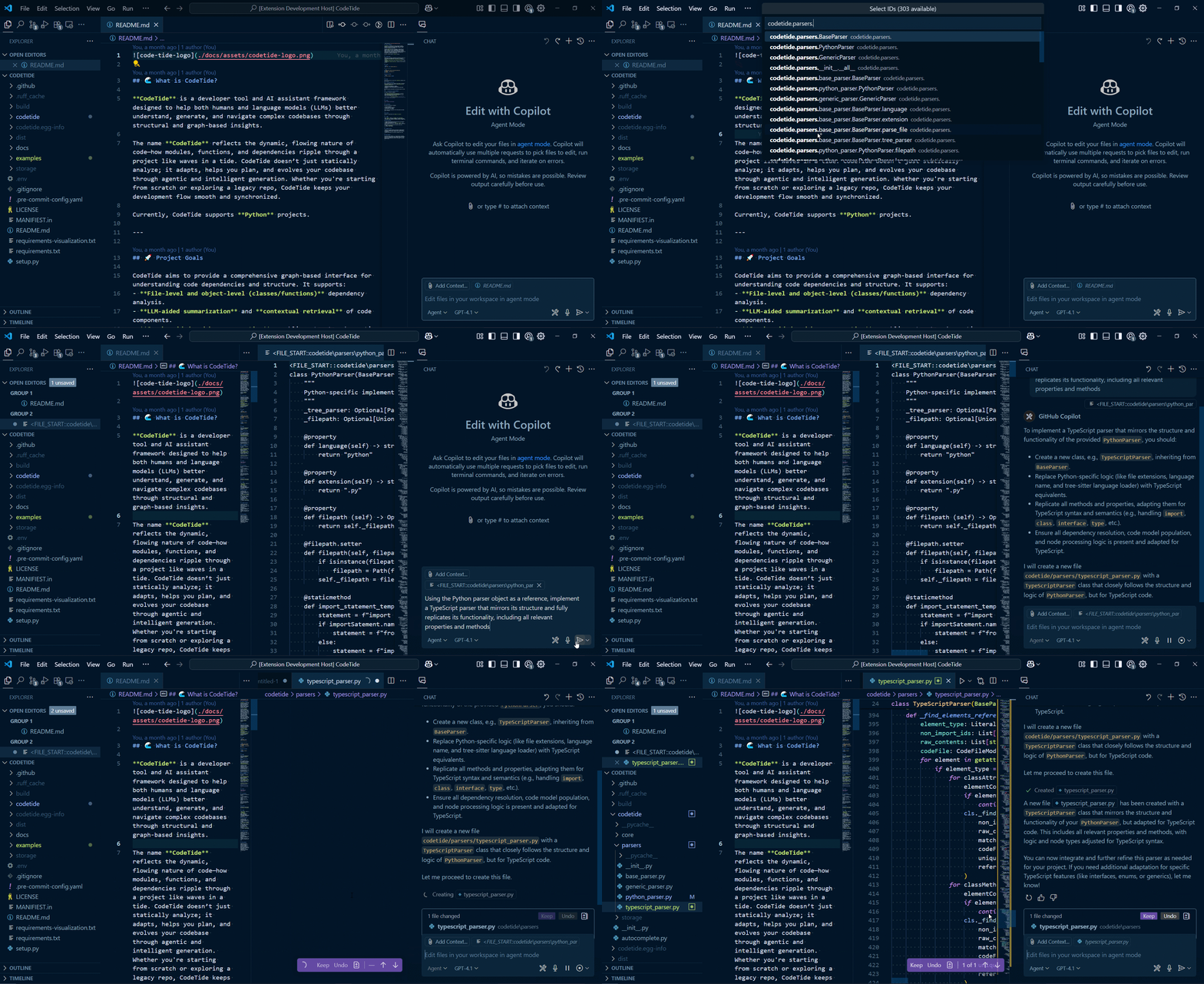
- Automatic Codebase Parsing - Intelligently indexes your entire project structure
- Flexible Context Generation - Multiple output formats (shallow, deep, tree views)
- Seamless Copilot Integration - Directly add relevant context to your Copilot prompts
- Fuzzy Search - Quickly find code snippets with intelligent autocomplete
- Clipboard Support - Copy context to clipboard for use anywhere
- Python Backend - Advanced code analysis powered by custom Python processing
- Python 3.8+ installed and in your PATH
- VS Code 1.100.0 or later
- Install from the VS Code Marketplace
- Open a project in VS Code
- On first run, the extension will automatically:
- Set up a Python virtual environment
- Install required dependencies (including
codetidebackend)
Manual installation option:
pip install git+https://github.com/BrunoV21/codetide- Initialize your project with
CodeTide: Initialize Project - Select code context using the fuzzy search interface
- Retrieve in your preferred format (Copilot, clipboard, etc.)
| Command | Description |
|---|---|
CodeTide: Initialize Project |
Parse workspace and extract code context |
CodeTide: Refresh the project |
Update cached IDs and context |
| Command | Output Target | Context Depth |
|---|---|---|
CodeTide: Get by IDs (Add to Copilot) |
Copilot Context | Standard |
CodeTide: Get by IDs (Copy to Clipboard) |
Clipboard | Standard |
CodeTide: Get by IDs - Shallow |
Copilot Context | Minimal |
CodeTide: Get by IDs - Deep |
Copilot Context | Extended |
| Command | Includes |
|---|---|
CodeTide: Get Tree View |
Basic structure |
CodeTide: Get Tree View - with Modules |
+ Module dependencies |
CodeTide: Get Tree View - with Modules & Types |
+ Type annotations |
| Command | Description |
|---|---|
CodeTide: Reinstall Python Environment |
Clean reinstall of dependencies |
CodeTide: Update Python Dependencies |
Update to latest versions |
CodeTide: Check Python Environment Status |
Verify installation status |
- Open your project in VS Code
- Run
CodeTide: Initialize Projectto parse your codebase - Use the context retrieval commands as needed
- For Copilot integration, select snippets and choose "Add to Copilot"
- Backend: Requires codetide Python package
- System: Python 3.8+ must be installed and accessible
- Permissions: Needs read access to your project files
- Python not found: Ensure Python is in your PATH or reinstall it
- Missing dependencies: Run
CodeTide: Reinstall Python Environment - Cached IDs not updating: Use
CodeTide: Refresh the project
We welcome contributions! See CONTRIBUTING.md for guidelines.
Apache 2.0 - See LICENSE for details.