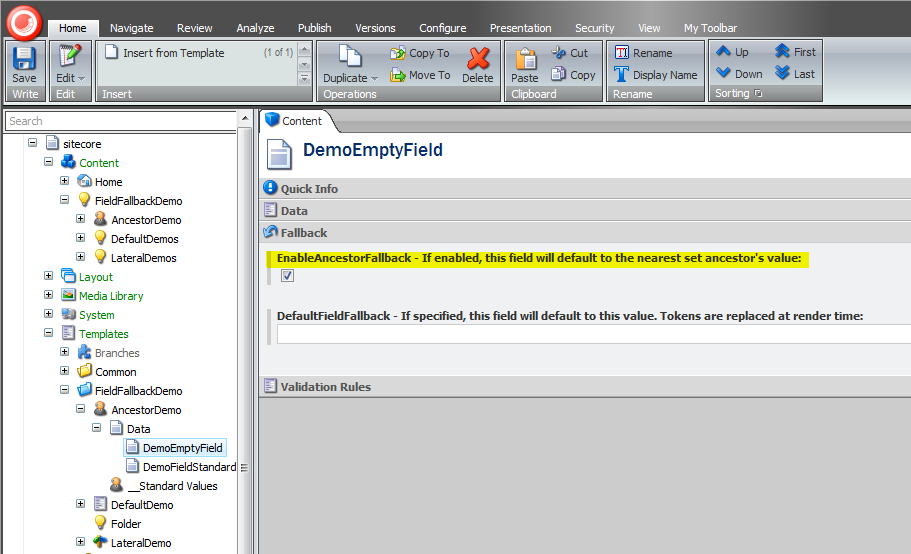
Ancestor Fallback
This processor allows a field to get a value from its nearest set ancestor. This is very common in "Header" or "Section Header" type text on a page as well as META keywords or description text.
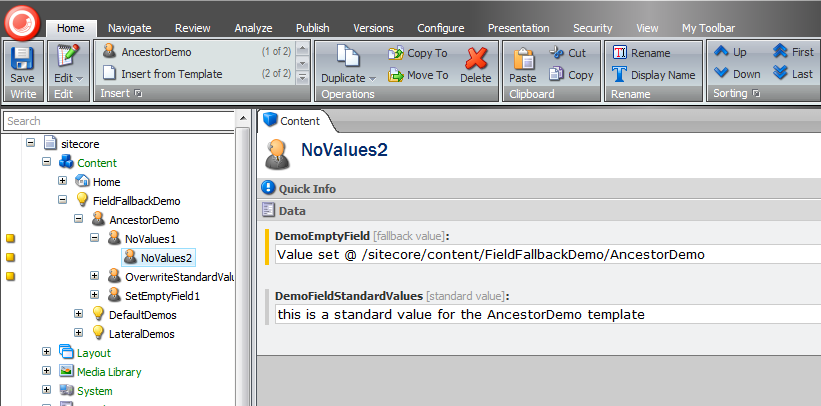
In the screen shot below, notice how the DemoEmptyField field of the NoValues2 item is showing the value from the AncestorDemo item. Also notice that we have fallback "validators" next to the field and in the gutter showing a yellow square indicating that there are fallback values in place.
- Make sure that the
AncestorFallbackProcessoris enabled in your configuration file. - Each field that requires Ancestor Fallback needs to have the
EnableAncestorFallbackfield checked.
By default, 'EnableAncestorFallback' is NOT a shared field. You can set it to shared on the 'Template Field' item(/sitecore/templates/System/Templates/Template field)