A simple CPU ISA and emulator. This is mostly intended for demos of what can be done with a 16 color palette ( the same palette as the Macintosh II ) and a limited ISA on a 240 x 136 screen with only 64k of ram.
This is the color palette.

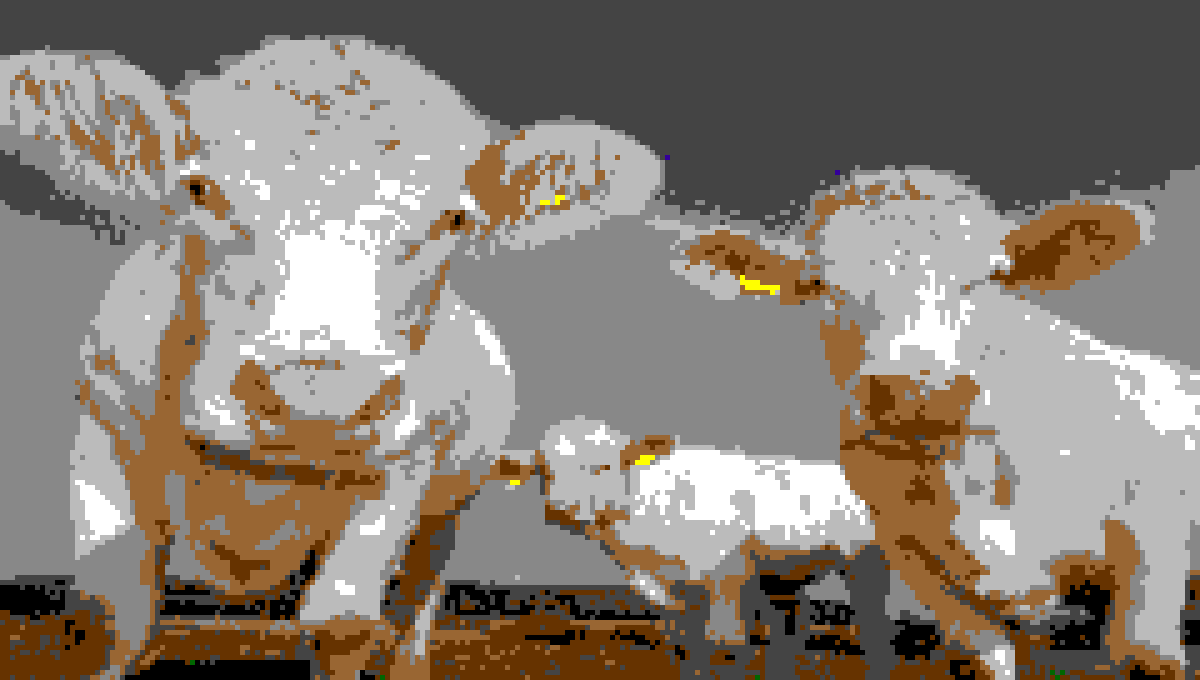
Using this color palette it is possible to create images like the following, and possibly even more detailed images could be made using dithering.
This example self modifying program will fill the screen with magenta red orange yellow pixels. It should be noted that all code begins at address 0x1FE1 since 0x0000 to 0x1FE0 is the screen ram. `
1FE1: 0500    ;ADDI A BCDE
1FE2: BCDE
1FE3: 0200    ;RTM  A 0000
1FE4: 0000
1FE5: FE00    ;DRAW
1FE6: 0503    ;ADDI B 0001
1FE7: 0001
1FE8: 0203    ;RTM  B 1FE4
1FE9: 1FE4
1FEA: 0106    ;MTR  C 1FE4
1FEB: 1FE4
1FEC: 0706    ;SUBI C 1FE0
1FED: 1FE0
1FEE: 1100    ;JNZ  1FE3
1FEF: 1FE3
1FF0: FF00    ;HALT
This code results in the following. It should be noted that since the screen is redrawn after every pixel the speed is very slow and drawing it after the entire buffer would be much faster.

There is a built-in opcode to print a char to the screen. The following is a demo of this.

| operation | OPCODE | Format | Action |
|---|---|---|---|
| NOP | 00 | 00 RR | (Nothing) |
| Mem to Reg (MTR) | 01 | 01 RR XXXX | RR = RAM[XXXX] |
| Reg to Mem (RTM) | 02 | 02 RR XXXX | RAM[XXXX] = RR |
| Immediate to Reg (ITR) | 03 | 03 RR XXXX | RR = XXXX |
| ADD from Mem (ADDM) | 04 | 04 RR XXXX | RR = RR + RAM[XXXX] |
| Immediate ADD (ADDI) | 05 | 05 RR XXXX | RR = RR + XXXX |
| Sub from Mem (SUBM) | 06 | 06 RR XXXX | RR = RR - RAM[XXXX] |
| Immediate SUB (SUBI) | 07 | 07 RR XXXX | RR = RR - XXXX |
| Immediate Sub non destructive (SUBIND) | 08 | 08 RR XXXX | RR - XXXX |
| AND | 09 | 09 RR XXXX | RR = RR & RAM[XXXX] |
| OR | 0A | 0A RR XXXX | RR = RR | RAM[XXXX] |
| XOR | 0B | 0B RR XXXX | RR = RR ^ RAM[XXXX] |
| NOT | 0C | 0C RR XXXX | RR = ! RAM[XXXX] |
| Shift left (SHL) | 0D | 0D RR XXXX | RR = RR << XXXX |
| Shift right (SHR) | 0E | 0E RR XXXX | RR = RR >> XXXX |
| Jump (JMP) | 0F | 0F RR XXXX | IP = XXXX |
| Jump if zero flag is set (JZ) | 10 | 10 RR XXXX | IP = XXXX |
| Jump if zero flag is not set (JNZ) | 11 | 11 RR XXXX | IP = XXXX |
| CHAR | 20 | 20 RR XXXX | (N/A) |
| Render the screen (DRAW) | FE | FE RR | (Nothing) |
| Stop the machine (HALT) | FF | FF RR | (Nothing) |
There are 8 internal registers. Each register can be accessed directly or only just one of its bytes, HIGH (H) or LOW (L).
| Register | RR code | Size in bytes |
|---|---|---|
| A | 00 | 2 |
| AH | 01 | 1 |
| AL | 02 | 1 |
| B | 03 | 2 |
| BH | 04 | 1 |
| BL | 05 | 1 |
| C | 06 | 2 |
| CH | 07 | 1 |
| CL | 08 | 1 |
| D | 09 | 2 |
| DH | 0A | 1 |
| DL | 0B | 1 |
| E | 0C | 2 |
| EH | 0D | 1 |
| EL | 0E | 1 |
| F | 0F | 2 |
| FH | 10 | 1 |
| FL | 11 | 1 |
| G | 12 | 2 |
| GH | 13 | 1 |
| GL | 14 | 1 |
| H | 15 | 2 |
| HH | 16 | 1 |
| HL | 17 | 1 |