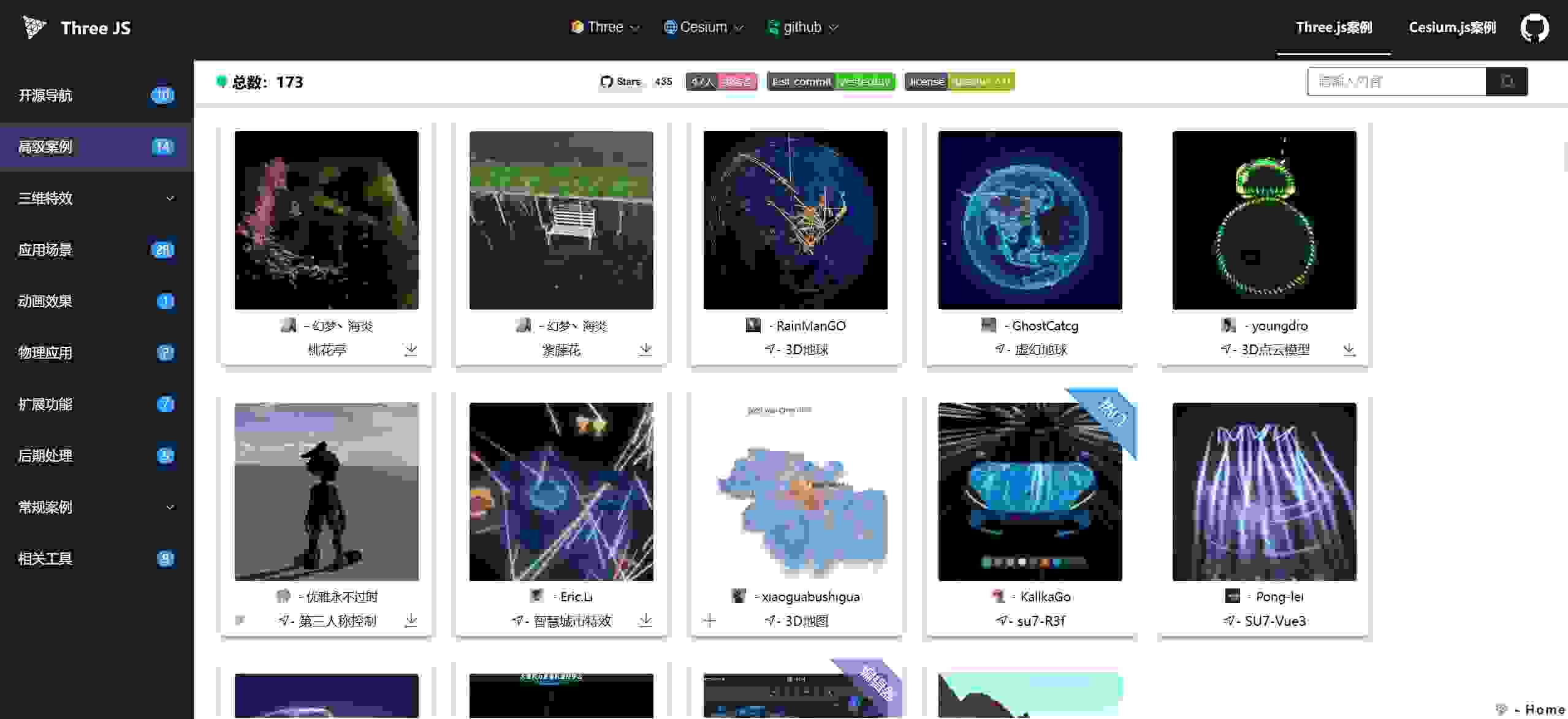
| 微信 | 微信群 | 预览图 | Stars |
|---|---|---|---|
 |
 |
 |
-
github dev 分支实时预览 http://z2586300277.github.io/three-cesium-examples
-
在线投稿 https://z2586300277.github.io/submit/submit.html (分享你的案例,让更多人看到✨)
-
人生旅程中的 Web3D 知识记录, 复习回顾, 高效查阅, 资源共享, 为爱发电。(fork 一下提交自己作品🍀)
-
注:尽量不要提交超过200k的文件,image 控制压缩到 10k,在线压缩 - 链接
| 作者 | 联系方式 | 联系方式 | 链接 | 描述 |
|---|---|---|---|---|
| 优雅永不过时 | 🐧2586300277 | 微:z2586300277 | 主页 | Web3D 为爱发电 |
| 贾宛龙 | 微: trampjwl | 🐧 群 585667336 | 主页 | 专注于Cesium.js领域 |
| Nico | 🐧805879871 | 微:15230117323 | 官网 | Three.js Cesium.js |
| FFMMCC | 微:fmc2055615840 | 🐧2055615840 | 主页 | Web3D爱好者 |
| ThreeX | 🐧383612104 | 微:web-gpu | 官网 | Three.js移动端、小程序 |
| Threelab | 🐧2945853209 | - | 官网 | 海量点云渲染引擎 |
| - | - | - | - | - |
-
✋ 如果这些里面有案例帮助了您,有意的话您可以提交您的作品,让爱传递给更多开发者
-
👏 加入管理仓库的开发者,可自行创建自己的分支,或者在 dev 分支直接开发
-
📑 fork 仓库开发 - 增加用户信息 - 提交代码 - 合并到 dev
- 运行框架 - 确保联网(three、gsap等依赖引入) - 服务端口指向index.html 如nginx apache liveServer等
-
创作者可以在 config/author.js 录入你的开发者信息,然后你提交的案例关联上 id 就会展示作者信息。
-
将案例 js 放入目录 cesiumExamples/threeExamples 中的文件夹中 如 threeExamples/basic 中放入 test.js, test.jpg, 或者目录 test[test.js, test.jpg]
-
在 config 目录下 找到 threeExamples 录入案例信息, 内部的资源指向与你的 js 和 image 资源路径对应
-
注: 为保证轻量化 案例展示图片资源使用 - https://yasuo.xunjiepdf.com/img/ (自定义压缩至 10k 以内)
-
涉及其他依赖 js,可将 module.js 放到 js 目录 如 dat.gui,gasp ,注入方式 config/config.js 可见
-
音视频模型存储等一些可以公用的资源 files 文件夹下,涉及文件资源尽量引用外部 url,保证仓库轻量化
目录结构
├── assets/             # 运行框架
├── threeExamples/      # three.js 案例代码目录
├── cesiumExamples/     # cesium 案例代码目录
├── js/                 # 第三方js依赖存放处
├── files/              # 模型、图片等资源
├── config/             # 配置项
│   ├── site            # 网站配置
│   ├── host            # 主机配置
│   ├── links           # 导航链接
│   ├── lang            # 语言配置
│   ├── author          # 作者信息
│   ├── three-examples  # three 案例配置
│   ├── cesium-example  # cesium 案例配置
│   └── config          # 总配置
├── .gitignore          # git 忽略文件
├── index.html          # 入口页面
├── LICENSE             # 开源协议
└── README.md           # 项目说明
// HOST 自动获取 当前域名/ip 防止部署环境不同 资源引用失效
{
    id: '列表唯一id',
    name: '名称',
    name_en: '英文名',
    tag: '标签名字-背景颜色-字体大小',
    tip: '提示信息',
    author: '作者id',
    referUrl: '案例参考来源地址', // 如 没有可不配置
    downloadUrl: '附带下载的url', // 如three.js => 高级案例 => 桃花亭 配置后refer将不显示
    imporver: '优化作者', // 优化作者的id
    links: [{ url: '连接', name: '名称' }] //配置link imporver 将不显示
    image: HOST + 'threeExamples/basic/test.jpg', // 对应窗口图
    codeUrl: HOST + 'threeExamples/basic/test.js', // js module格式 大多数案例形式
    htmlUrl: HOST + 'threeExamples/test/test.html' // html 在线格式 如 three案例 => 粒子 => 随机粒子 粒子行星
    openUrl: '预览外联地址url', // openurl 和 codeurl 为二选一形式 如 可见桃花亭 su7 案例
    githubUrl: '附带github 仓库的url', // 如 three.js => 开源作品 => su7
    meta: {
        title: '此案例网站标题',
        keywords: '搜索引擎关键字',
        description: '此案例页面描述'
    }
}-
架构设计是以请求资源形式访问代码,如codeUrl image,等资源文件不局限于存储在本仓库中,例如存储在你自己的服务器,然后 url 访问到你的文件即可,类似于请求接口。
-
然后在此仓库仅配置 案例信息即可, 可参考 three 案例 => 扩展功能 => 3D 地图 案例的配置
-
因github.io是https, https 访问限制 http 会被自动禁止, 建议搭建自己的 github page ,使用 github 充当自己的资源服务器。
-
如:我的一些分布式资源存储在 https://github.com/z2586300277/3d-file-server 仓库下 —— 访问服务: https://z2586300277.github.io/3d-file-server/
-
github page 搭建 => 创建仓库 => 进入管理页面 => setting => pages => Build and deployment => source (depoly from a branch) => branch 选择对应分支 => save 即可
-
注: github page 搭建完成后 浏览器直接访问如 https://xxxx.github.io/xxxx/ 目录404整行现象,路径精确到文件后访问可正常
-
参考访问案例 如 cesium 案例 => 离线地图 => 内网高德
- 可通过 config/links 文件修改 所有的链接和 logo, 替换成自己的官网或者链接地址。
| 🍊 | 🍐 | 🍏 |
|---|---|---|
| elegant-github | elegant-vercel | openThree-github |
| threehub-site | cesiumhub-site | codeLike-github |
A place for 3D developers to learn, share, showcase, connect, collaborate, and take projects 🤝. (Contact the author if you want to join repository management 🍉)
- GitHub dev branch live preview: http://z2586300277.github.io/three-cesium-examples
- Online submission: https://z2586300277.github.io/submit/submit.html (share your example and let more developers discover it ✨)
- A long-term Web3D knowledge log for review, fast lookup, and resource sharing. (fork and submit your work 🍀)
- Note: please avoid submitting files larger than 200 KB. Compress images to about 10 KB: link
-
✋ If any example helped you, you are welcome to submit your own work and pass it on.
-
👏 Developers in repository management can create their own branches, or contribute directly on
dev. -
📑 Standard flow: fork repository -> add contributor info -> submit code -> merge into
dev. -
🌿 Distributed repository model: https://github.com/z2586300277/three-cesium-examples-self
-
Run with any static server (internet required for CDN dependencies like three.js and gsap), and point service root to
index.html(nginx / apache / liveServer, etc.).
- Add your author profile in
config/author.js. When your example references your author ID, your info will be displayed automatically. - Put your example files under
cesiumExamples/orthreeExamples/, for examplethreeExamples/basic/test.jswithtest.jpg. - Register your example in the corresponding config file under
config/(three-examples.jsorcesium-examples.js), and ensure paths match your JS/image files. - Keep preview images lightweight. Recommended compression tool: https://yasuo.xunjiepdf.com/img/ (target size: <= 10 KB).
- For extra JS dependencies, place files in
js/(such as dat.gui or gsap) and inject them viaconfig/config.js. - Put shared assets (models/audio/video/textures) in
files/. Prefer external URLs for large resources to keep this repo lightweight.
Directory structure
├── assets/             # Runtime framework
├── threeExamples/      # Three.js example sources
├── cesiumExamples/     # Cesium example sources
├── js/                 # Third-party JS dependencies
├── files/              # Shared models/textures/media assets
├── config/             # Configuration files
│   ├── site            # Site metadata
│   ├── host            # Host configuration
│   ├── links           # Navigation links
│   ├── lang            # Language configuration
│   ├── author          # Author registry
│   ├── three-examples  # Three.js examples
│   ├── cesium-example  # Cesium examples
│   └── config          # Main runtime config
├── .gitignore          # Git ignore file
├── index.html          # Entry page
├── LICENSE             # Open-source license
└── README.md           # Project documentation
// HOST is auto-resolved from current domain/IP to avoid broken asset paths across deployments.
{
    id: 'unique id in list',
    name: 'Chinese name',
    name_en: 'English name',
    tag: 'tag text-backgroundColor-fontSize',
    tip: 'tooltip message',
    author: 'author id',
    referUrl: 'reference source url', // optional
    downloadUrl: 'download url', // optional; if configured, referUrl is hidden
    imporver: 'improver id', // optional
    links: [{ url: 'link url', name: 'link name' }], // if configured, imporver is hidden
    image: HOST + 'threeExamples/basic/test.jpg', // preview thumbnail
    codeUrl: HOST + 'threeExamples/basic/test.js', // ES module style (most common)
    htmlUrl: HOST + 'threeExamples/test/test.html', // standalone HTML example
    openUrl: 'external preview url', // choose either openUrl or codeUrl
    githubUrl: 'github repository url', // optional
    meta: {
        title: 'page title',
        keywords: 'seo keywords',
        description: 'page description'
    }
}- This project uses URL-based resource loading (
codeUrl,image, etc.), so files do not have to live in this repository. - You can host assets on your own server or another repository, then reference them directly by URL in config.
- In this repository, you only need to maintain example metadata/config entries.
- Because GitHub Pages runs on HTTPS, mixed HTTP resources may be blocked. Use HTTPS asset URLs.
- Example distributed asset repo: https://github.com/z2586300277/3d-file-server
- Example asset service: https://z2586300277.github.io/3d-file-server/
- GitHub Pages quick setup: create repo -> settings -> pages -> build and deployment -> source (deploy from a branch) -> select branch -> save.
- If
https://xxxx.github.io/xxxx/returns 404, try a full file path first to confirm resources are deployed correctly. - Reference case: Cesium -> Offline Map -> Intranet Gaode.
- Video guide: https://www.bilibili.com/video/BV12T94YhEQA/