




GradeSync is a full-featured, responsive school management web application built with Next.js 15, TypeScript, and Tailwind CSS. It provides a centralized platform for managing academic workflows across four roles — Admin, Teacher, Student, and Parent — with secure multi-role authentication powered by Clerk, real-time schedules via BigCalendar, and comprehensive data management through Prisma ORM and PostgreSQL (Neon). The project also implements a robust CI/CD pipeline using GitHub Actions to ensure code quality and automated deployments.
🔗 https://grade-sync-school.vercel.app/
For testing the application with different roles:
| Role | Username | Password |
|---|---|---|
| Admin | testingadmin |
admin1234 |
| Teacher | testingteacher |
teacher1234 |
| Student | testingstudent |
student1234 |
| Parent | testingparent |
parent1234 |
- Secure Multi-Role Access: Powered by Clerk, providing seamless login and secure session management for four distinct roles.
- Dynamic Dashboards:
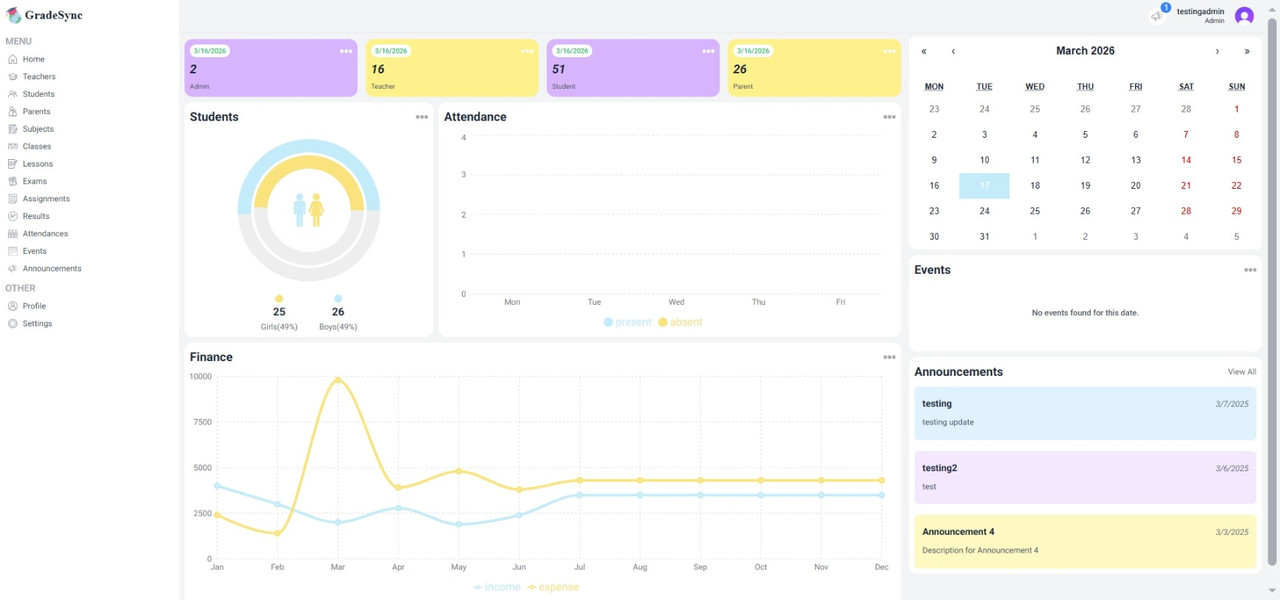
- Admin: Full platform control — manage teachers, students, parents, classes, subjects, lessons, events, exams, assignments, attendance results, and announcements.
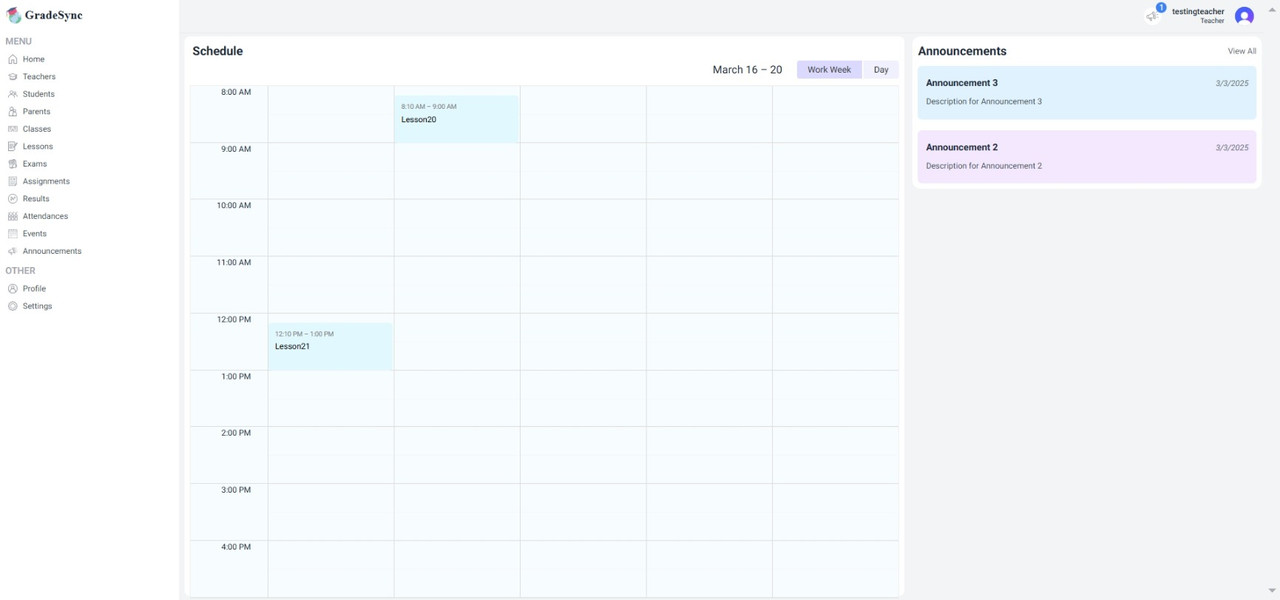
- Teacher: View assigned lessons, manage exams, assignments, and attendance for their classes.
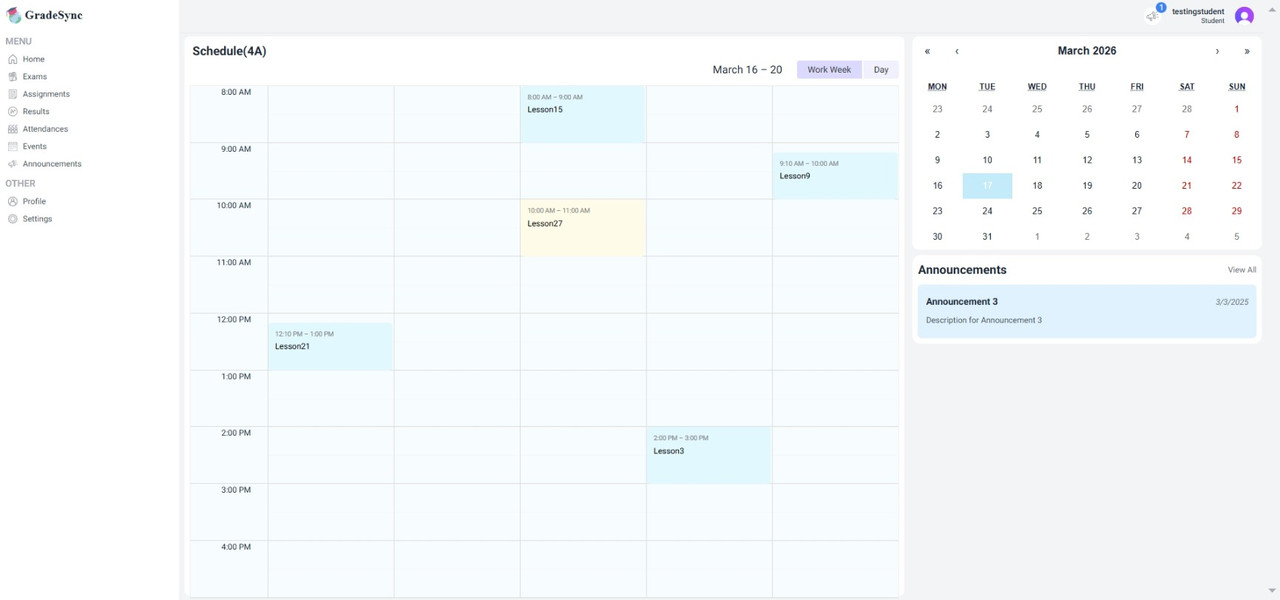
- Student: View personal schedule, results, exams, and assignments through a weekly BigCalendar.
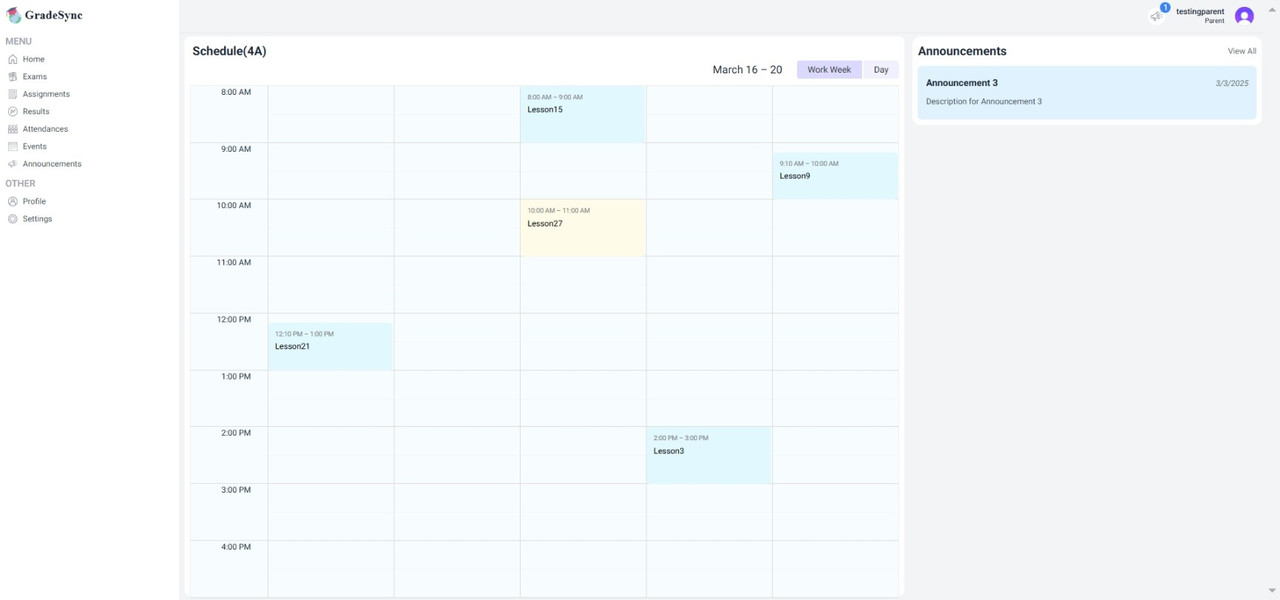
- Parent: Monitor their children's schedules and academic activities.
- Weekly BigCalendar: Interactive work-week view (
react-big-calendar) showing lessons mapped by day (Monday–Friday). - Day Navigation: Easily switch between days to view different lesson schedules.
- Event Visibility: 8:00 AM lessons are clearly visible with a start time offset of 7:30 AM.
- Lessons: Create and manage lessons with assigned subject, class, teacher, day, and time.
- Exams & Assignments: Linked to specific lessons with start/end time support.
- Results: Track student performance per exam or assignment.
- Attendance: Record and update attendance per lesson.
- Announcements & Events: Create global or class-specific communications.
- Teachers & Students: Full CRUD with photo upload via Cloudinary, Clerk user creation, and role assignment.
- Parents: Independently created with a searchable student-linking dropdown (multi-select).
- Premium Forms: Polished form modals with loading spinners, error states, section headers, and toast notifications.
- Responsive Layout: Clean, modern design across all screen sizes with DaisyUI + Tailwind CSS.
| Category | Technology |
|---|---|
| Framework | Next.js 15.0.7 |
| Language | TypeScript 5 |
| Styling | Tailwind CSS 3.4.1 + DaisyUI 4.12.23 |
| Authentication | Clerk 6.10.2 |
| Database ORM | Prisma 6.2.1 |
| Database | PostgreSQL (Neon) |
| Image Upload | Cloudinary (next-cloudinary 6.16.0) |
| Calendar | react-big-calendar 1.18.0 |
| Charts | Recharts 2.15.0 |
| Form Management | React Hook Form 7.54.2 + Zod 3.24.1 |
| Notifications | react-toastify 11.0.3 |
| Code Quality | ESLint + Prettier + Husky + commitlint |
src/app/layout.tsx — Root layout with Clerk provider
src/app/globals.css — Global CSS including BigCalendar premium styles
src/app/loading.tsx — Global loading UI
src/app/not-found.tsx — Custom Not Found page
src/app/error.tsx — Global error page that catches runtime errors
src/app/api/ — API routes for parent/student search
src/components/ — Reusable UI components
src/lib/actions/ — Server actions for all CRUD operations
src/lib/prisma.ts — Prisma client singleton instance
src/lib/settings.ts — Route access map
src/lib/utils.ts — Helpers function
prisma/schema.prisma — Full database schema
prisma/seed.ts — Database seed script
src/middleware.ts — Clerk route protection middleware
public/ — Static assets including images and icons
tailwind.config.ts — Tailwind CSS configuration
next.config.ts — Next.js configuration
Follow these steps to set up the project locally:
Ensure you have the following installed:
git clone https://github.com/TanvirCou/grade-sync.git
cd grade-syncnpm install
# or
yarn installCreate a .env file in the root directory and add the following variables:
# PostgreSQL (Neon)
DATABASE_URL_UNPOOLED=
PGHOST=
PGHOST_UNPOOLED=
PGUSER=
PGDATABASE=
PGPASSWORD=
POSTGRES_URL=
POSTGRES_URL_NON_POOLING=
POSTGRES_USER=
POSTGRES_HOST=
POSTGRES_PASSWORD=
POSTGRES_DATABASE=
POSTGRES_URL_NO_SSL=
POSTGRES_PRISMA_URL=

# Clerk Authentication
NEXT_PUBLIC_CLERK_PUBLISHABLE_KEY=
CLERK_SECRET_KEY=
NEXT_PUBLIC_CLERK_SIGN_IN_URL=/sign-in

# Cloudinary (Image Uploads)
NEXT_PUBLIC_CLOUDINARY_CLOUD_NAME=
NEXT_PUBLIC_CLOUDINARY_API_KEY=- Database: Create a free PostgreSQL database on Neon — all connection variables above are provided in the Neon dashboard.
- Clerk: Get your API keys here
- Cloudinary: Sign up and get your Cloud Name & API Key here
Run Prisma migrations and seed the database:
npx prisma migrate dev
npx prisma db seedStart the development server:
npm run dev
# or
yarn dev
The application will be available at http://localhost:3000.
- Real-time Notifications — Live alerts for new assignments, announcements, and exam results.
- Grade Analytics — Visual charts per student showing performance trends over time.
- AI-Powered Insights — Attendance pattern analysis and performance prediction.
- Mobile App — React Native companion app for students and parents.
- Multi-language Support (i18n) — Expand accessibility with support for multiple languages.
This project is for educational and portfolio purposes.