Playing Bad Apple on a TinyScreen+'s 96x64 display at 30 FPS! Unfortunately it has no speakers, so this is video-only :(
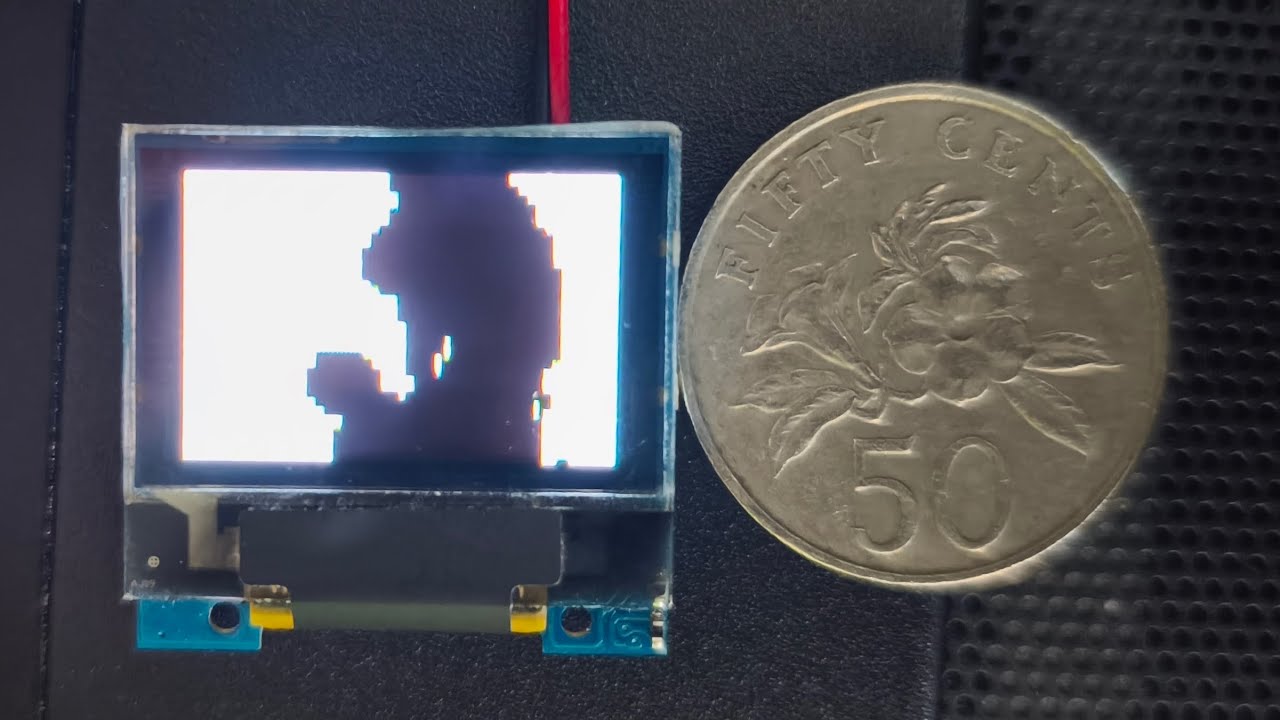
https://tinycircuits.com/collections/processors/products/tinyscreenplus
- Install the Arduino IDE (version 2 or later).
- In the Arduino IDE, go to File > Preferences, and in the "Additional Boards Manager URLs" field, add:
http://files.tinycircuits.com/ArduinoBoards/package_tinycircuits_index.json - In the Arduino IDE, open the Boards Manager. Install the "Arduino SAMD Boards" (version 1.8.14) and "TinyCircuits SAMD Boards" (version 1.1.0) packages.
- In the Arduino IDE, open the Library Manager. Install the "TinyScreen" library (version 1.1.0).
- Open
tinyscreen-bad-apple.inoin the Arduino IDE, and compile and upload it to your TinyScreen+.
flake.nix defines the development shell I used for this project. You can enter it with nix develop. You won't need it to run Bad Apple on your TinyScreen+. You'll only need it if you want to re-create the magical framedata.* files.
download_frames.sh is run to download the video from YouTube and extract the frames using ffmpeg. Pretty standard stuff.
The real magic happens in gen_framedata.py, which generates the framedata.* files from the raw frames.
Bad Apple is grayscale, so we can already achieve 8x compression by thresholding it to black and white. The code for this is in the decode_frame function (it's more complicated than a simple threshold to make the MV look good, but the core idea is still there).
That makes the entire MV 4.81MiB, and let's see how much ROM we have... uh... 256KiB!? (To make matters worse, around 24KiB is already taken up by our code and the bootloader)
Bad Apple contains large patches of solid black or white, so run-length encoding should do a good job of compressing it. The code for this is in the RunLengthWriter class (along with some other optimizations we'll talk about later).
At an optimal 8 bits per run, this brings us down to 966KiB. Wow, a 4.7x decrease already? This is gonna be easy! (It was in fact, not easy)
Many frames in Bad Apple have long horizontal or vertical strips. So, if we select between encoding runs row-by-row or column-by-column, we should get even more bang-for-buck out of our run-length encoding.
And indeed, the compressed MV now sits at 882KiB.
Rice is a cereal gras- wait wrong rice. Rice coding is a code that assigns more bits to larger numbers, and fewer bits to smaller numbers. This sounds like exactly what we want, since we expect the short runs to outnumber the long runs by a long shot. The code for this is in Writer.write_int_rice. I love how simple and elegant it is.
This also means we no longer have a max length for a single run, so if the previous run was black, the next run must be white, and we don't have to store that info. At the cost of storing the number of runs, we can also infer the length of the last run of a frame, since all frames have a set number of pixels (this makes a noticable difference, surprisingly enough).
Thanks to Wikipedia, we're now at 752KiB.
I actually got the idea from this blog post. Turns out that using XOR to store the differences between frames works much better than the sparse format I tried initially, since we can exploit our super effective run-length encoding.
All this put together brings us to... (drum roll 🥁) 612KiB! ...Oh no.
At this point, I can't imagine another lossless compression method that would make a significant dent. So I cheated. There were 2 simple ways I could perform an OK-looking lossy compression:
- lower the frame rate
- lower the resolution
No. 1 is implemented in the fullres-lowfps branch, and honestly it looks kinda choppy due to only being 10FPS. So I focused my efforts making No. 2 look decent.
Using a 10:1 scaling turned out to be just enough to get us under budget, after fiddling with the threshold function to artifically increase the amount of long runs while making sure important details were preserved.
Of course, this creates a new problem: how do we scale a 48x36 image to 96x64? I want something that actually looks OK, so nearest-neighbor is out of the question. Our next best option is bilinear interpolation, and I was getting kinda tired so I asked Claude to generate the code this time. And it worked perfectly! AI is gonna take over the world! ...Except for the fact that the poor CPU now takes 500ms to render a single frame.
After taking advantage of the aspect ratios to simplify the math and get rid of floats, it now runs at <31.8ms per frame, right under our budget of 33.3ms. It's actually crazy how close we're cutting it both memory- and compute-wise.
A University gives a weeb an embedded device for a school project. What do you think is going to happen?