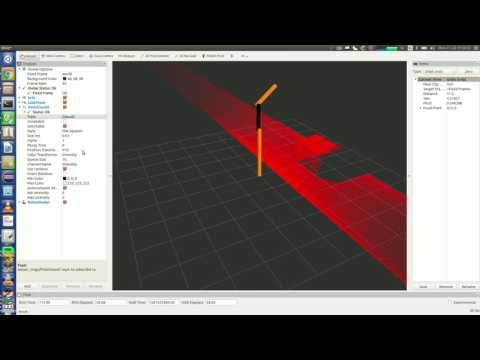
This work will assemble 2D laser scans from Gazebo and turned them into PCL point cloud in ROS. For this work, first I loaded the RRBot in Gazebo and launched Its joints controller, then I sent a periodic signal to the robot such that the laser scanner mounted on the robot swings. In the following, I assembled the incoming laser scans with the transformation from tf and created PCL point cloud.
sudo apt-get install ros-kinetic-laser-assembler ros-kinetic-laser-geometry ros-kinetic-rqt-controller-manager ros-kinetic-ros-controllers ros-kinetic-gazebo-ros ros-kinetic-gazebo-ros-control ros-kinetic-robot-state-publisher ros-kinetic-ros-comm ros-kinetic-gazebo-plugins
Checkout the RRbot and then change the branch into kinetic-devel
git clone https://github.com/ros-simulation/gazebo_ros_demos
Add the path to ROS_PACKAGE_PATH
source /opt/ros/kinetic/setup.bash
export ROS_PACKAGE_PATH=/home/behnam/gazebo_ros_demos/:$ROS_PACKAGE_PATH
due to new updates, you need to make some changes in the file rrbot.gazebo, you have to add
this line true
  <!-- ros_control plugin -->
  <gazebo>
    <plugin name="gazebo_ros_control" filename="libgazebo_ros_control.so">
      <robotNamespace>/rrbot</robotNamespace>
      <robotSimType>gazebo_ros_control/DefaultRobotHWSim</robotSimType>
      <strong><legacyModeNS>true</legacyModeNS></strong>
    </plugin>
  </gazebo>
Now run the followings:
roslaunch rrbot_gazebo rrbot_world.launch

roslaunch rrbot_control rrbot_control.launch
you need to install some plugins for rqt. These plug ins will enable you send messages with rqt.
sudo apt-get install ros-kinetic-rqt-publisher ros-kinetic-rqt-common-plugins ros-kinetic-rqt-topic
Now launch rqt_gui:
rosrun rqt_gui rqt_gui
set the second joint value
(/rrbot/joint2_position_controller/command) into (pi/4)+(1*pi/4)*sin(i/40)*sin(i/40)
and the frequency into 50 Hz, and /rrbot/joint2_position_controller/command) into 0

mkdir -p catkin_ws/src && cd catkin_ws/src
git clone https://github.com/behnamasadi/laser_assembler
source /opt/ros/kinetic/setup.sh
cd ../ && catkin_make
then run:
cd /home/behnam/catkin_ws/devel/lib/laser_assembler
./laser_assembler_service_caller
Create a launch file and save the following lines to it and save it under laser_assembler.launch
<launch>
    <node type="laser_scan_assembler" pkg="laser_assembler" name="my_assembler">
        <remap from="scan" to="/rrbot/laser/scan"/>
        <param name="max_clouds" type="int" value="400" />
        <param name="fixed_frame" type="string" value="world" />
    </node>
</launch>
and run it with roslaunch:
roslaunch laser_assembler.launch