"L10nization" is a tool for extracting text to arb files for l10n or r13n in a Flutter application.
- You must select the text with the quotes (like "Hello World").
- In the action code you will find
Extract 'Hello World' to arb files. - You can change the name of the
keyvia the command.
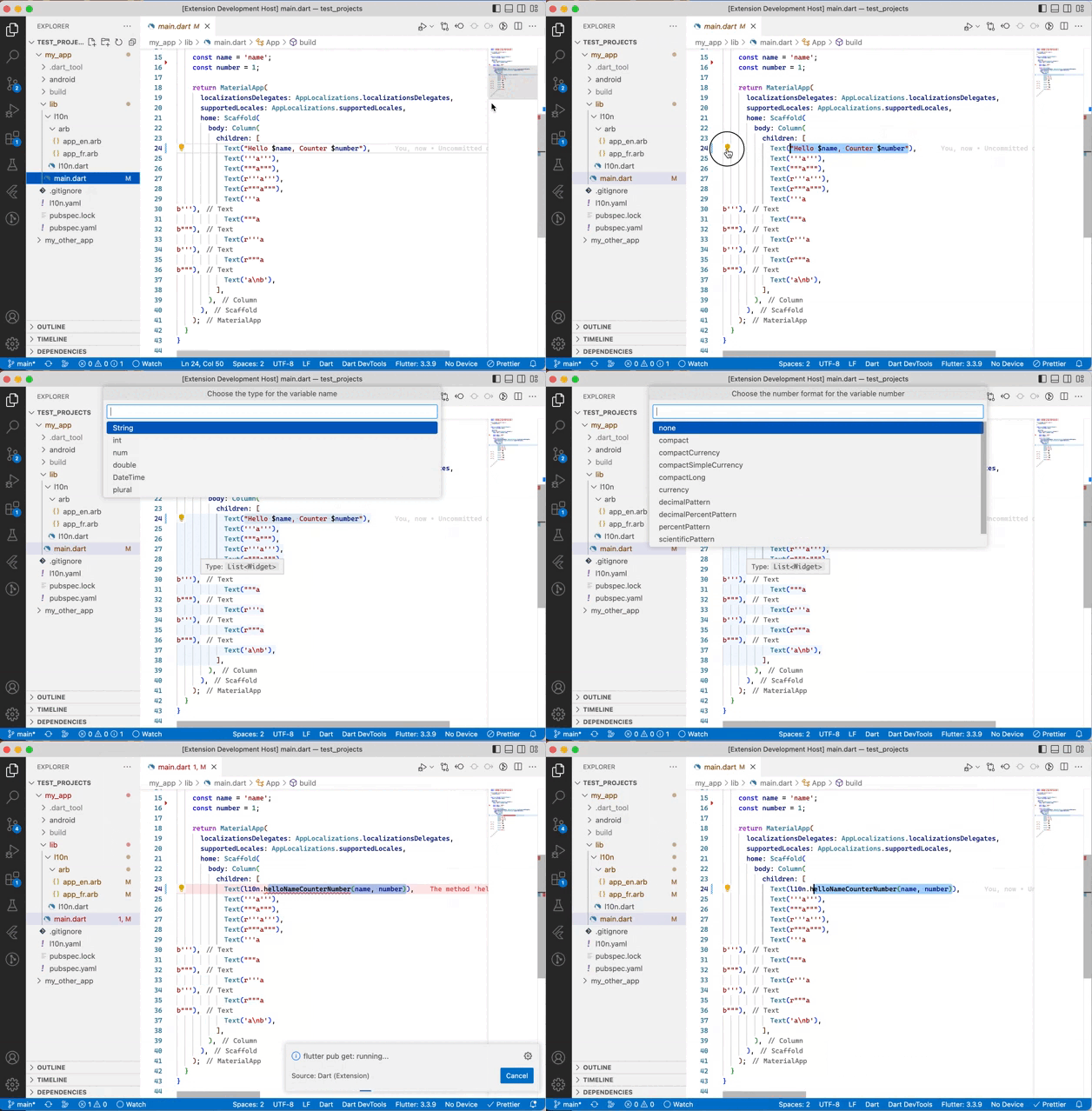
By default, the variable used for AppLocalizations is l10n you can change it in the parameters as if below:
"l10nization.appLocalizationsVariable": "yourVariable"By default, the extension launches flutter pub get via the Dart extension. You can disable it in the settings.
To use the extension with r13n, the following parameters must be changed.
"l10nization.appLocalizationsVariable": "r13n", // or whatever you want.
"l10nization.yamlFile": "r13n.yaml"You can add the description by enabling l10nization.haveMetadatas.
You can choose if you want add new message with addNewMessagesIn in .
all: all filestemplate: only in template file
You can use the command L10nization: Sort arb files.
| Message “format” value | Output for numberOfDataPoints(1200000) |
|---|---|
| "compact" | "1.2M" |
| "compactCurrency" | "$1.2M" |
| "compactSimpleCurrency" | "$1.2M" |
| "compactLong" | "1.2 million" |
| "currency" | "USD1,200,000.00" |
| "decimalPattern" | "1,200,000" |
| "decimalPercentPattern" | "120,000,000%" |
| "percentPattern" | "120,000,000%" |
| "scientificPattern" | "1E6" |
| "simpleCurrency" | "$1,200,000.00" |
The extension does not check that it is correct.
For the Date format, you can select those already available or write your own.
For full release notes, see the changelog.