The Labsheets provide some icons to help reinforce the scientific skills we are practicing. These icons should also help you to navigate the labsheets quickly.
 This is a section that contains important information you must respect to avoid damaging the robot, or to stay within the requirements for your Assessments.
 This is a section that provides advice on best practice, or confirms what we have achieved so far.
 This is a section that provides background theory for what we are about to work on. You can complete the exercises without the theory, but you will be able to make smarter choices if you gain a deeper understanding first.
 This is a section that contains information on common problems or common solutions. These are designed to help you to avoid common pitfalls (time spent inefficiently). They should help you to question your assumptions.
 This is a section that encourages you to observe, reflect and think about implications for the exercises we are completing. It is necessary to make observations of the system we are studying, from which we can then articulate a hypothesis.
 This is a section that asks you to make a prediction or theory, drawing on your knowledge and experience so far. You will also want to consider how you could then observe and measure the effects.
 This is a section that contains exercises: you will be asked to develop some code, and you are encouraged to then observe, hypothesise, and verify the outcomes. If you are in a hurry, you can scan the labsheets to find these yellow icons.
 This is a section that guides you to validate and confirm the operation of your work. This is an important practice in robotics. Make sure your solutions are working as you expect them to. Use this step to re-evaluate your understanding.
The below Labsheets make extensive use of some incomplete template code provided for you under the 3Pi_CodeStub directory above. Alternatively, visit this link.
You can print your own copy of the coursework map. The files which is located in the folder Map above. Alternatively, visit this link.
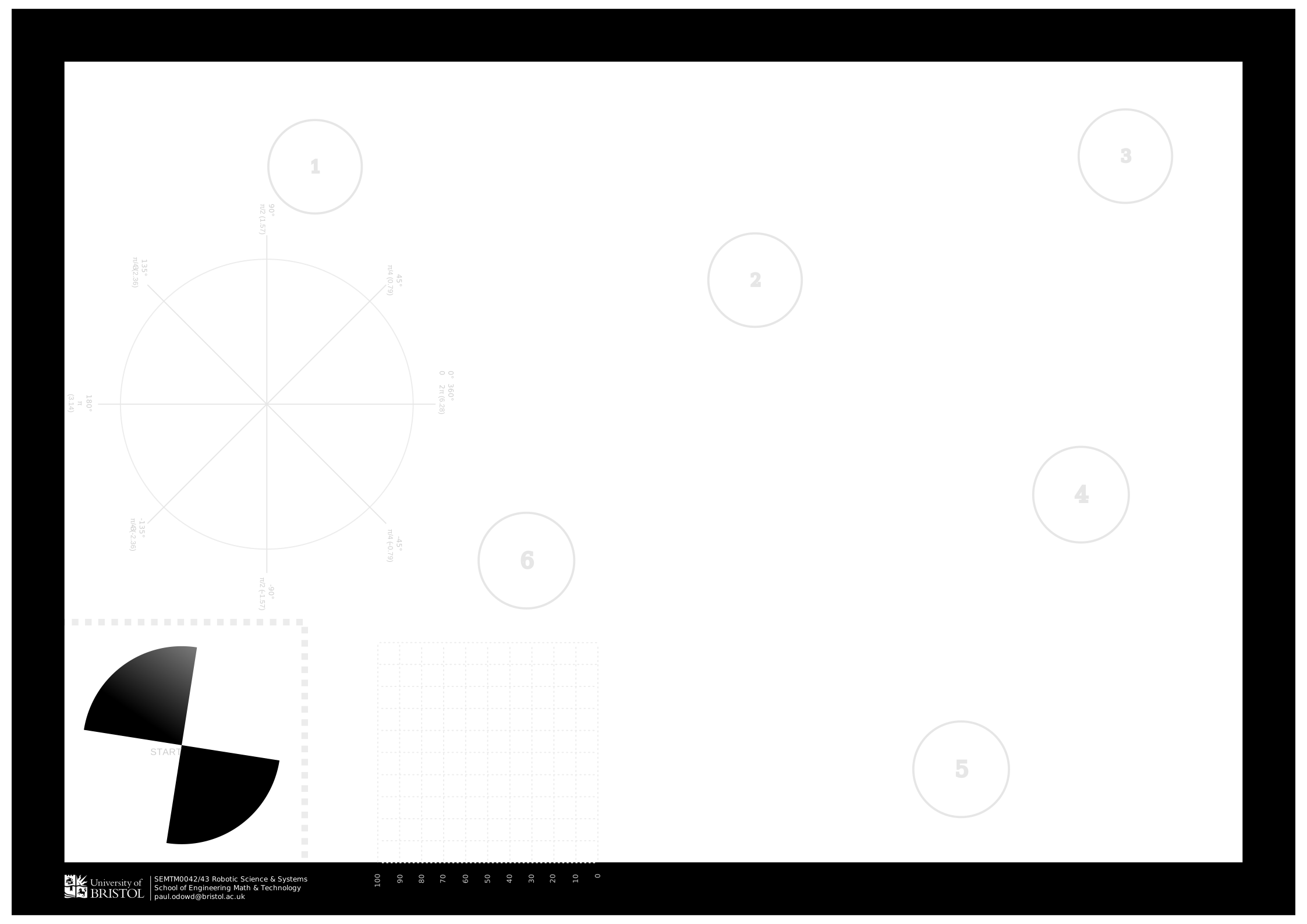

| Labsheet Title | Estimated Time | Description | |
|---|---|---|---|
|
Labsheet 0: Getting Started | 2-6 hours | Instructions on how to get started, and exercises with millis() for non-blocking code. |
|
Labsheet 1: Motors | 4 - 10 hours | Exercises to get your robot moving, steps to be confident that your code will behave predictably, building up a Class. Advanced Exercises include PID Control |
|
Labsheet 2: Sensors | 2 - 4 hours | Exerices to achieve reliable turning, travelling, and movement between two locations. |
|
Labsheet 3: Motion Control | 4 - 8 hours | Exercises to use the motors and sensors to stay within the coursework map, as well as find and detect the puck. |
|
Labsheet 4: System Integration | 8 - 16 hours | Exercises to help you integrate your work so far into a solution for the Foraging Challenge. |
The following Labsheets are supplementary, and therefore are not considered necessary to complete Assessment 1. You may find them more useful for Assessment 2.
| Labsheet Title | Description | |
|---|---|---|
|
S. Labsheet 0: Battery Measurement | Guidance on measuring the battery level of the 3Pi robot. |
|
S. Labsheet 1: Interrupts | Advanced exercises to utilise a timer for precision execution of code. |
|
S. Labsheet 2: Bump Sensors | Guidance on using the Bump Sensors for collision detection or ambient light measurement. |
|
S. Labsheet 3: Inertial Sensors | Guidance on using the Accelerometer and Gyroscope sensors. |
|
S. Labsheet 4: Display Module | Guidance and examples of using the LCD or OLED display for the 3Pi robot. |
|
S. Labsheet 5: Results over Serial | Guiding on collecting measurements for experiments and reporting them over Serial. |
|
S. Labsheet 6: Plotting Results | Guidance and examples on plotting using Python and Google Colab. |
|
S. Labsheet 7: Advanced Line and Bump Sensors | Guidance on an improved method of reading the line and bump sensors that provides better overall resolution. |
The following are example proposals for a project for Assessment 2. For each example proposal, they illustrate the larger context of the work. It is expected that your Team will gain an increased focus on a smaller attribute or characteristic of the system over the Assessment 2 period.
| Project Title | |
|---|---|
|
Project 1: Box Pushing |
|
Project 2: Leader-Follower |
|
Project 3: 2D Localisation |