
Robust encryption meets the simplicity of QR codes.
Transform and safeguard your data in offline QR codes for easy, secure retrieval.
- What Is Cipherforge?
- Why Use Cipherforge?
- Features
- Screenshots
- Getting Started
- Usage
- Common Use Cases
- Deployment
- License
- Contributing
- Support & Contact
Cipherforge is a practical solution for secure offline data storage, developed by QRClip. It combines robust encryption with the simplicity of QR codes, allowing you to:
- Encrypt text or small files
- Generate one or multiple QR codes representing the data
- Print those QR codes for offline, physical storage
- Decrypt your data locally, ensuring privacy and security
No continuous cloud support or external servers are required. This makes it perfect for passwords, 2FA tokens, crypto keys, or emergency backups.
To learn more about the technology and encryption methods behind Cipherforge, check out our detailed Cipherforge Blog Post.
In today's digital world, the security of sensitive data is crucial, yet often we overlook the need for physical, accessible backups. Cipherforge addresses this gap by:
- Combining Digital & Physical Security: Encrypted QR codes bridge the gap between digital encryption and tangible storage
- Ensuring Data Availability: Access your data even when digital systems fail or are compromised
- Maintaining Privacy: All encryption happens locally - your data never leaves your device
- Providing Simplicity: Complex security made accessible through an intuitive interface
- Secure Encryption: Utilizes XChaCha20-Poly1305 for robust data protection
- Flexible Security Options: Choose between password-only, key-only, or combined password & key methods
- Offline by Design: App runs locally, data never leaves your device
- User-Friendly: Simple interface for both encoding and decoding
- Multiple QR Codes: Automatically splits large data across multiple QR codes if needed
- PDF Generation: Export your codes in PDF form for easy printing
- Open Source: Contribute, audit, or build from source—transparency fosters trust
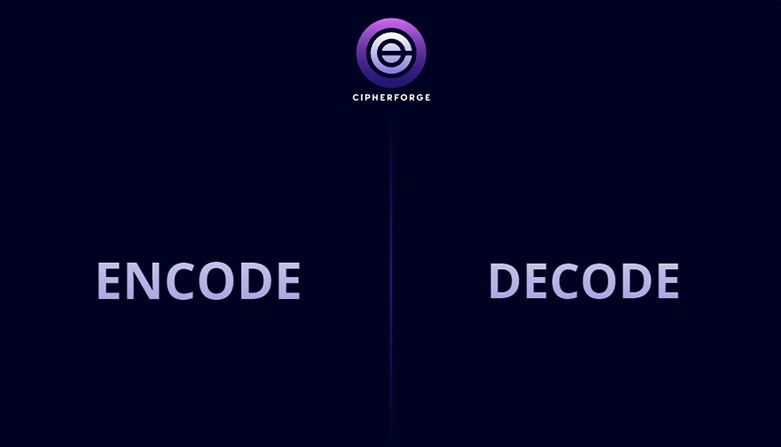
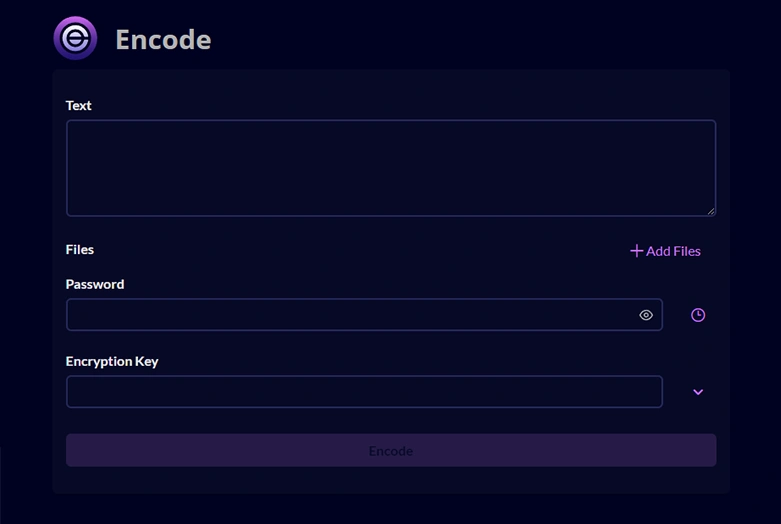
- Node.js (v16.14+ recommended) or an alternative environment (if applicable)
- npm or yarn (for installing dependencies)
- A modern browser for local usage (Chrome, Firefox, Safari, etc.)
Clone the repository:
git clone https://github.com/qrclip/cipherforge.git
cd cipherforge
Install dependencies:
npm install
# or
yarn installDevelopment mode:
npm run startAccess the app locally at http://localhost:4200.
Production build:
npm run buildNote: After this command completes, you'll have a dist folder ready to deploy.
Cipherforge uses two separate subprojects to handle intensive tasks in background threads:
- cipherforge-crypto-worker – Handles encryption and decryption logic
- cipherforge-qr-read-worker – Handles QR code encoding and decoding
Each subproject, when built, compiles a dedicated web worker and then copies the resulting bundle into the main app's assets folder. This allows the main Cipherforge application to seamlessly offload tasks to these workers without blocking the user interface.
- Navigate to the subproject folder (e.g.,
cd cipherforge-crypto-worker). - Install dependencies:
npm install
- Build and copy to assets:
This command compiles the web worker code and automatically places it into the main app's assets directory.
npm run build2app
Repeat the same steps for cipherforge-qr-read-worker if you need to update or modify the QR code logic.
Note: The repository already includes pre-built worker files in assets. You only need to perform these build steps if you plan on modifying or updating the worker code.
- Open Cipherforge in your browser
- Select "Encode" from the main menu
- Enter text or upload a small file
- Choose your encryption method:
- Password-only: Set a strong password
- Key-only: Generate a random encryption key
- Both: Combine password and key for maximum security
- Click "ENCODE" to generate your QR code(s)
- Export as PDF or individual images
- Print and store the codes in a secure physical location
- Select "Decode" from the main menu
- Either scan printed QR codes via camera or load image files
- Enter the correct password/key to decrypt
- View and save your retrieved data
For a detailed tutorial with screenshots and technical breakdown, check out our official Cipherforge Blog Post.
Cipherforge is ideal for:
- Password Managers: Securely store master passwords or recovery codes
- Cryptocurrency: Backup wallet seeds and private keys
- Two-Factor Authentication: Store recovery codes for 2FA/MFA services
- Emergency Information: Store critical personal or medical data
- Sensitive Documents: Backup small confidential files
- Legal Documents: Secure storage of wills, contracts, or deeds
CipherForge is available as a Docker image with Caddy server for automatic SSL:
# Pull and run the official image
docker run -p 80:80 -p 443:443 -v ./Caddyfile:/etc/caddy/Caddyfile qrclip/cipherforge
Or use Docker Compose:
# Using the pre-built image
docker-compose -f docker-compose-caddy.yaml up -d
For detailed deployment instructions and alternative options, see DEPLOYMENT.md.
This project is licensed under the MIT License.
Contributions are welcome! Please feel free to submit a Pull Request.
- Fork the repository
- Create your feature branch (
git checkout -b feature/amazing-feature) - Commit your changes (
git commit -m 'Add some amazing feature') - Push to the branch (
git push origin feature/amazing-feature) - Open a Pull Request
For major changes, please open an issue first to discuss what you would like to change.
- Official Website: QRClip.io
- Blog & Updates: QRClip Blog
- Email: hello@qrclip.io
If you encounter any issues, feel free to open an issue or reach out via email. We appreciate your feedback!
Thanks for visiting and happy encrypting!