



A fluid and responsive Hugo theme.
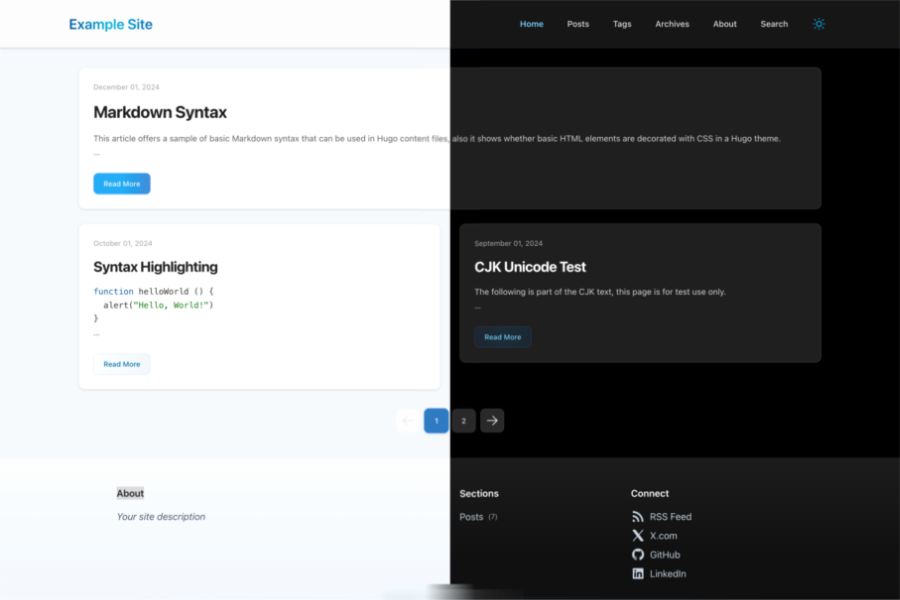
- Fluent Design mixed with Tailwind CSS
- Search Support
- Code Highlight
- Dark Mode
- Responsive
- Archive Page
Checkout demo now.
hugo mod init github.com/<your_user>/<your_project>module:
imports:
- path: github.com/wayjam/hugo-theme-fluidityhugo mod npm pack && npm updategit submodule add https://github.com/wayjam/hugo-theme-fluidity.git themes/hugo-theme-fluidityset theme in hugo.yaml
theme: hugo-theme-fluidityhugo mod npm pack && npm updateSite configuration see exampleSite/hugo.yaml
Create a new page in the content directory, for example <exampleSite/content/about.md>
Create a new page in the content directory, for example <exampleSite/content/archives/_index.md>
Create a new page in the content directory, for example <exampleSite/content/search/_index.md>
params:
  search:
provider: google- Step 1: Set the provider to pagefind
params:
  search:
provider: pagefind-
Create a pagefind config file, for example <exampleSite/pagefind.yml>
-
Install pagefind:
npm i pagefind -
Run pagefind before every build:
npx pagefind
You can inject third-party comments via params.comment.thirdParty.
params:
  comment:
    disabled: false
    thirdParty: |
      <link href="https://your-cdn.example.com/comment.css" rel="stylesheet">
      <script src="https://your-cdn.example.com/comment.js"></script>
      <div id="comments"></div>
      <script>
        (() => {
          const isDark = () => document.documentElement.classList.contains('dark')

          // Replace with your comment system initializer
          const comment = window.YourCommentSystem?.init({
            el: '#comments',
            pageKey: location.pathname,
            pageTitle: document.title,
            server: 'https://your-comment-server.example.com',
            site: 'YOUR_SITE_NAME',
            darkMode: isDark(),
          })

          const syncTheme = () => comment?.setDarkMode?.(isDark())
          syncTheme()

          const observer = new MutationObserver(syncTheme)
          observer.observe(document.documentElement, {
            attributes: true,
            attributeFilter: ['class'],
          })
        })()
      </script>
This is a generic, desensitized example. Replace script URLs, init method, and config fields based on your provider's API.
- Install dependencies:
npm i - Run the example:
./run_eample.sh